AI Cannot Fix a Workflow No One Understands
Automation accelerates whatever already exists. Before adding AI, the business needs a clear process, defined ownership, useful information, and a reason for the workflow to exist.

THE SHORT VERSION
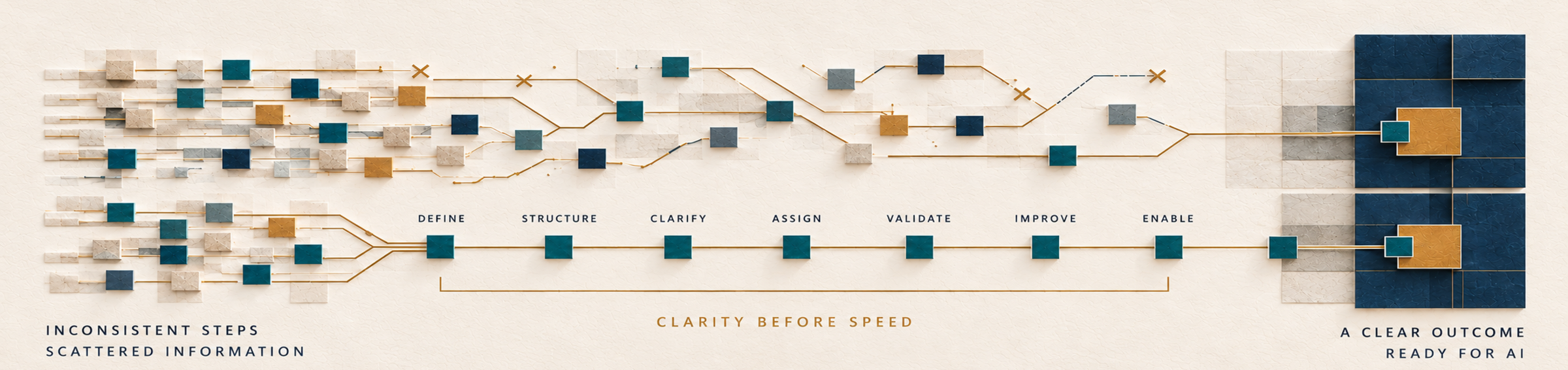
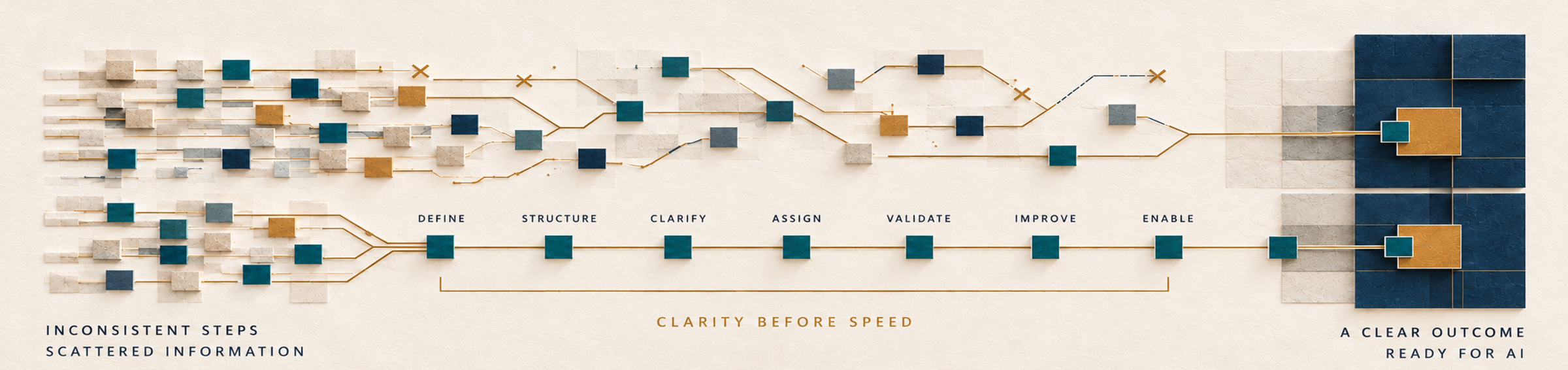
AI does not remove ambiguity from a workflow. It turns the existing rules, gaps, assumptions, and handoffs into faster execution.
__________
If the team cannot explain the outcome, trigger, inputs, sequence, decisions, ownership, and feedback loop, the workflow is not ready to automate.
__________
The right place to begin is not with an AI tool. It is with the operating logic the tool will be expected to follow.
The business wants an AI workflow. Then someone asks a basic question. How does the work happen now?
The answers do not match.
One person begins with an email. Another checks the CRM. The founder reviews certain requests, but no one can explain which ones. A spreadsheet fills a gap between systems. Important context lives in Slack, meeting notes, or memory. The next step depends on who notices the work first.
There is a process.
There is not a shared understanding of it.
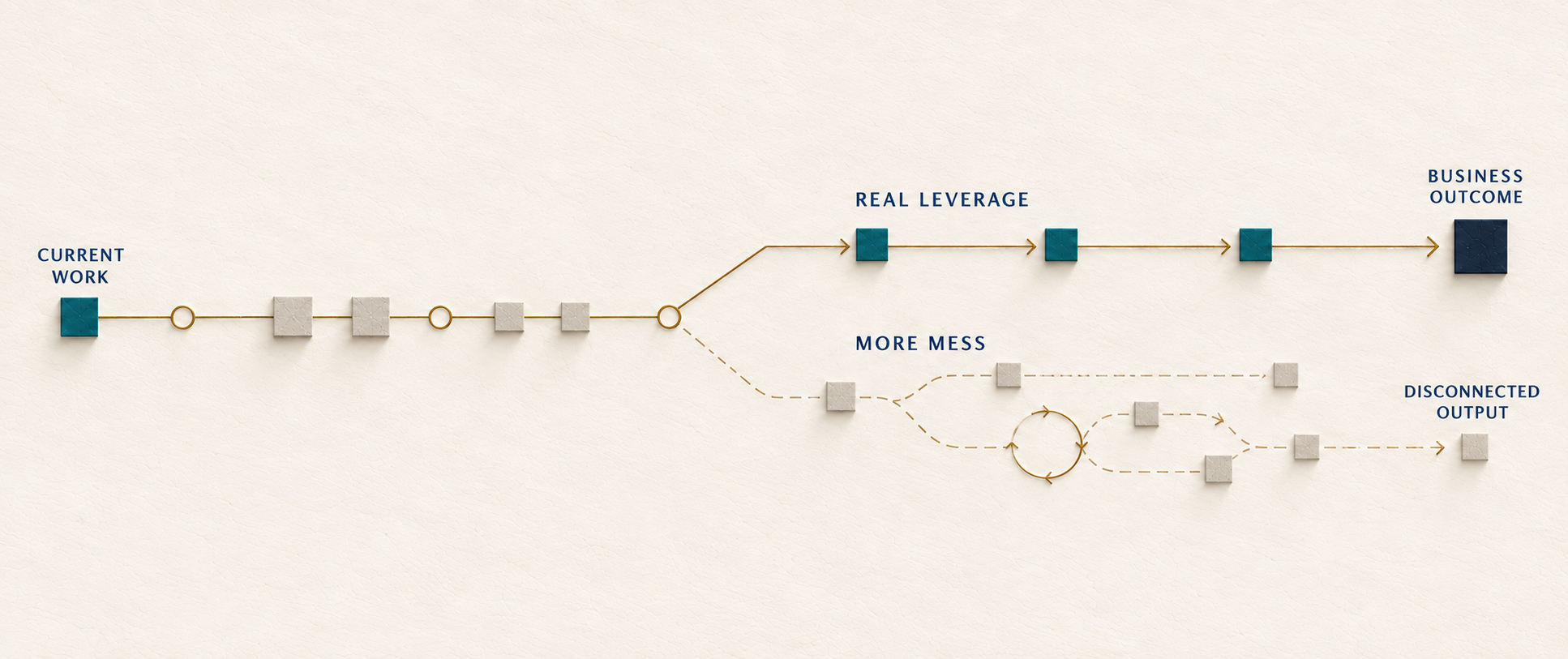
Adding AI at that point does not create clarity.
It gives the confusion a faster route through the business.
AI accelerates the operating system already in place
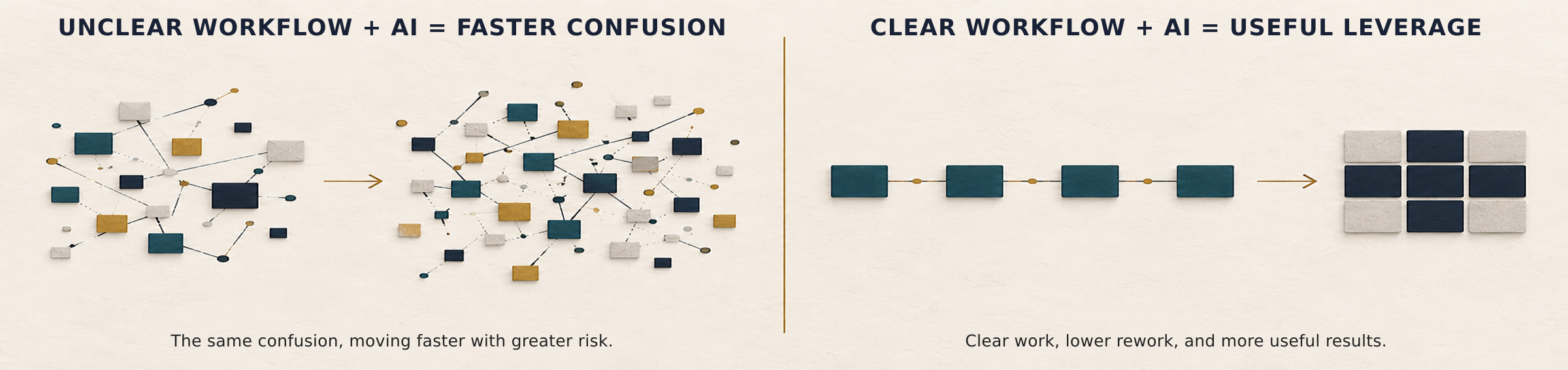
AI can summarize, classify, draft, compare, route, recommend, retrieve, and monitor.
Those capabilities can create enormous leverage.
But every one of them depends on decisions the business still has to make.
What information should be summarized?
Which categories matter?
What should the draft accomplish?
Where should the work be routed?
What makes a recommendation useful?
Which source is authoritative?
What deserves human review?
If the answers are unclear, the AI does not resolve the ambiguity. It operates inside it.
The result may look efficient because the output appears quickly. But speed can hide the fact that the system is applying inconsistent logic, using incomplete information, bypassing ownership, or producing work no one knows how to evaluate.
“AI cannot repair a workflow the business has never defined. It can only make the confusion move faster, farther, and with less visibility.” -Sarah Fuller
The tool decision is often happening too early

Many AI initiatives begin with a platform demonstration.
Leadership sees a capability. A team member experiments. A vendor promises time savings. The business starts imagining everything that could be automated.
Then implementation begins with the tool rather than the work.
The team tries to connect systems before agreeing on the process between them. Prompts are written before the required inputs are defined. Automation paths are built before exception rules are understood. Output is generated before anyone decides who is responsible for approving or using it.
The tool becomes the center of the design.
It should be the last major decision.
First, the business needs to understand the job the workflow is meant to perform.
Seven signs a workflow is not ready for AI
01
Capable people describe the process differently
Ask three people to explain how an inquiry becomes a qualified opportunity, how a proposal is created, or how a client request is handled.
If you receive three materially different answers, the workflow is being held together by individual habits.
Automating one version may make it official without making it right.
02
The required information lives in several places
The CRM has the contact. The inbox has the conversation. The shared drive has the document. The founder knows the context. A spreadsheet contains the status.
An AI system cannot reliably act on information it cannot access, distinguish, or trust.
Before automation, the business needs to identify which information matters and where the authoritative version lives.
03
Ownership changes according to who is available
A workflow needs a responsible owner even when technology performs part of the work.
If the next step belongs to marketing sometimes, sales sometimes, operations sometimes, and the founder whenever the situation feels important, the automation will inherit unclear accountability.
Someone still has to own the outcome.
04
Critical decisions rely on unwritten judgment
Experienced people often recognize fit, urgency, risk, tone, or quality without being able to explain the signals they used.
That judgment is valuable.
It also needs to be made visible before the business asks AI to support it.
The goal is not to reduce expertise to a rigid score. It is to distinguish repeatable criteria from the moments that genuinely require human interpretation.
05
Exceptions are handled as if every one is unique
Every workflow has exceptions.
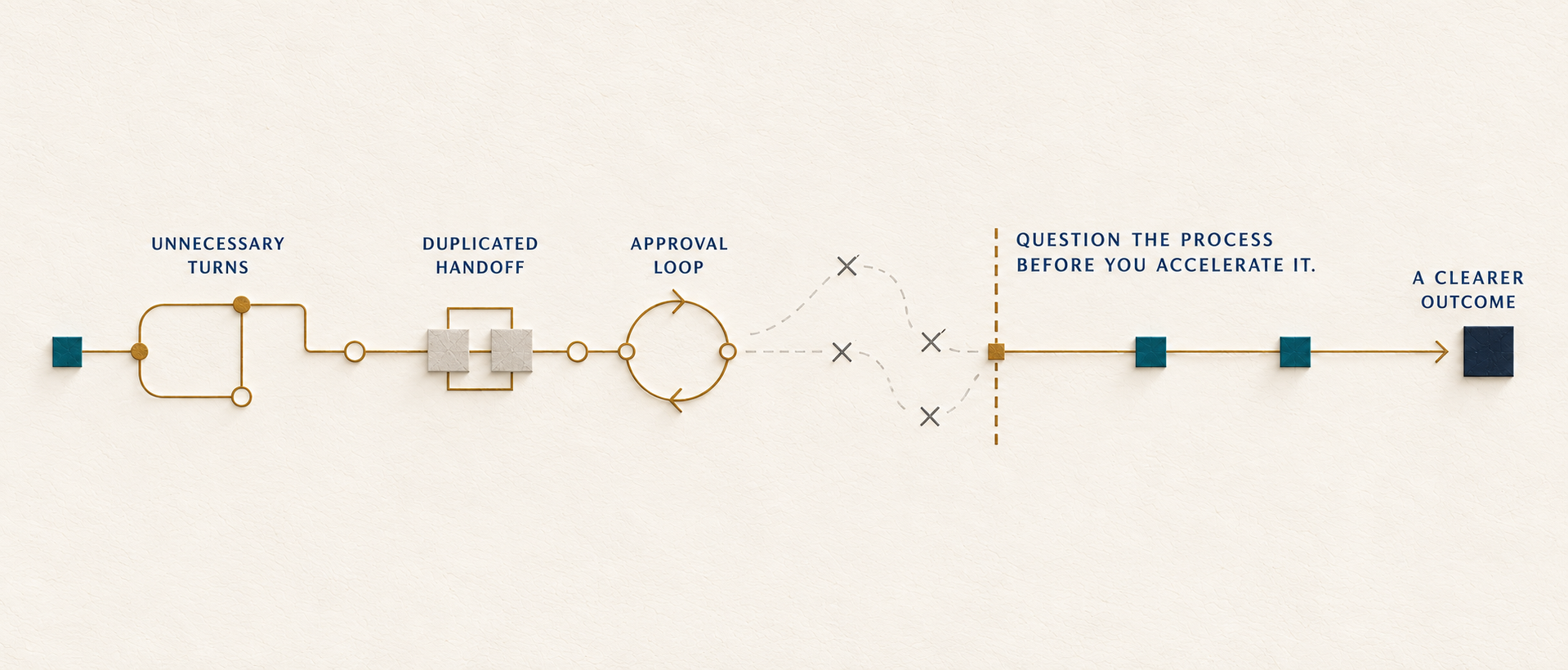
But when almost every situation requires a workaround, an extra message, or founder intervention, the standard path is not doing enough work.
AI cannot make a brittle process resilient by adding more branches. The business first needs to understand which exceptions are recurring patterns and what should happen when they appear.
06
Activity is clear, but the intended outcome is not
The team can explain what it does: review the request, write the email, update the record, create the report.
It cannot explain what a successful result looks like.
Without an outcome, AI can produce more activity without improving the business.
Efficiency only matters when the workflow is creating the right result.
07
No feedback returns to the workflow
The automation runs. The output is used or ignored. Errors are corrected privately. Strong results are not identified. No one reviews patterns.
The system keeps producing without learning.
Useful AI operations need a feedback path: what worked, what failed, what changed, and who is responsible for improving the logic.
A Useful Starting Point
Architect the workflow before automating the work.
A Growth Architecture Audit examines how information, decisions, ownership, tools, CRM, AI, and human judgment move through the business. It identifies where the process is unclear, where context is lost, which steps can be standardized, and where AI can create useful leverage without making the system harder to control.
Requesting an Audit begins with a short fit call. The fit call confirms whether the paid Audit is appropriate; it is not a free diagnostic session. If the Audit is the right next step, I will confirm the goals, scope, timing, and payment before work begins.
The Workflow Clarity Test
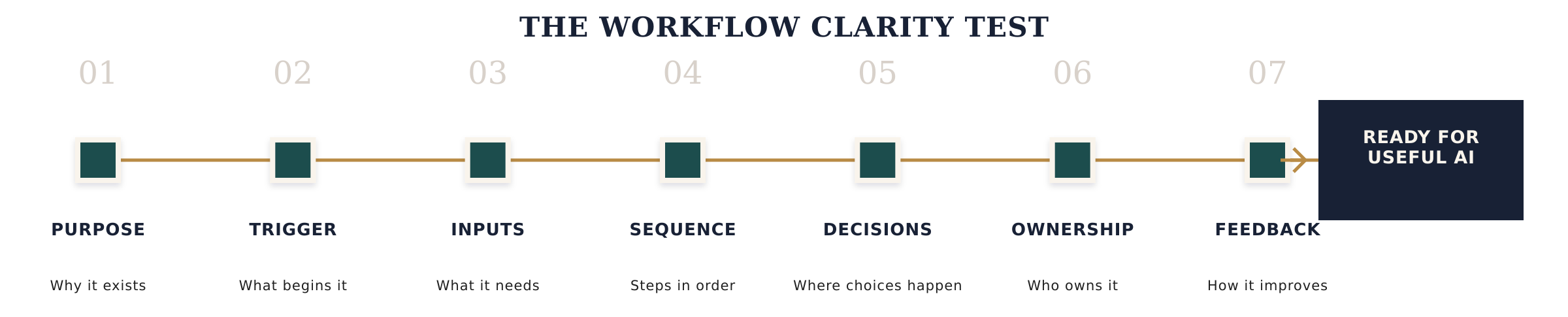
Before introducing AI, the business should be able to explain seven operating conditions.
01 Purpose
What result is the workflow supposed to create?
The purpose should describe a business outcome, not merely a completed activity.
“Generate a follow-up email” is an output.
“Continue a qualified buyer conversation with the right context and a clear next step” is a purpose.
The stronger definition gives the business a way to evaluate whether the AI-assisted work is useful.
02 Trigger
What event should begin the workflow?
A form submission. A meeting ending. A deal changing stage. A support request arriving. A reporting period closing.
The trigger should be observable and specific.
If people disagree about when the process should start, automation will fire too early, too late, or in situations where it does not belong.
03 Inputs
What information is required to produce a reliable result?
The workflow may need contact context, prior communication, offer details, brand standards, CRM status, internal policy, or a defined source document.
The business should know which inputs are required, which are optional, where they live, and what happens when they are incomplete.
More information is not always better.
Relevant, current, governed information is better.
04 Sequence
What has to happen, and in what order?
Some steps can run automatically. Some depend on an earlier decision. Some should happen in parallel. Some should not happen until a person confirms that the context is correct.
Sequence protects the logic of the work.
Without it, the business automates isolated tasks while the complete process remains fragmented.
05 Decisions
Where are choices being made?
Which decisions can be governed by a clear rule? Which can be supported by an AI recommendation? Which require human judgment, relationship awareness, legal review, financial authority, or leadership context?
AI should not quietly turn a judgment call into an automatic action.
The decision architecture should be explicit.
06 Ownership
Who is accountable for the workflow and its outcome?
Ownership includes more than receiving an alert.
Someone needs authority to approve the logic, resolve exceptions, review quality, update inputs, and decide when the process should change.
AI can perform work.
It cannot accept organizational accountability.
07 Feedback
How will the business know whether the workflow is working?
The system should make it possible to see accuracy, usefulness, adoption, time saved, exceptions, downstream movement, and unintended effects.
Feedback is not an annual review of the tool.
It is an operating loop that turns real outcomes into better instructions, stronger inputs, and clearer decisions.
Map the current workflow before designing the ideal one
Teams often document the process they believe should happen.
That version is useful, but it is not the place to begin.
First, map what actually happens.
Where does the work enter?
Who notices it?
What information do they look for?
Which systems do they open?
Where do they make a judgment?
What do they create?
Who receives it?
What happens when information is missing or the situation does not fit the standard path?
The informal steps matter. The duplicated entry matters. The private spreadsheet matters. The founder's intervention matters.
Those are not side notes.
They show where the formal workflow is incomplete.
Once the current state is visible, the business can decide what to remove, standardize, connect, support with AI, or keep intentionally human.

Standardization is not the same as rigidity
Some businesses resist workflow design because the work is complex.
Clients are different. Deals are different. Good judgment matters. The team does not want to sound automated or force every situation through the same path.
That concern is valid.
But the alternative to rigidity is not ambiguity.
A strong workflow can standardize the parts that should be reliable while preserving judgment where it creates value.
The system can consistently capture the right context, surface the next decision, prepare a useful first draft, and route an exception to the right person without pretending every outcome can be predetermined.
The purpose of workflow architecture is not to eliminate human thinking.
It is to stop wasting human thinking on preventable confusion.
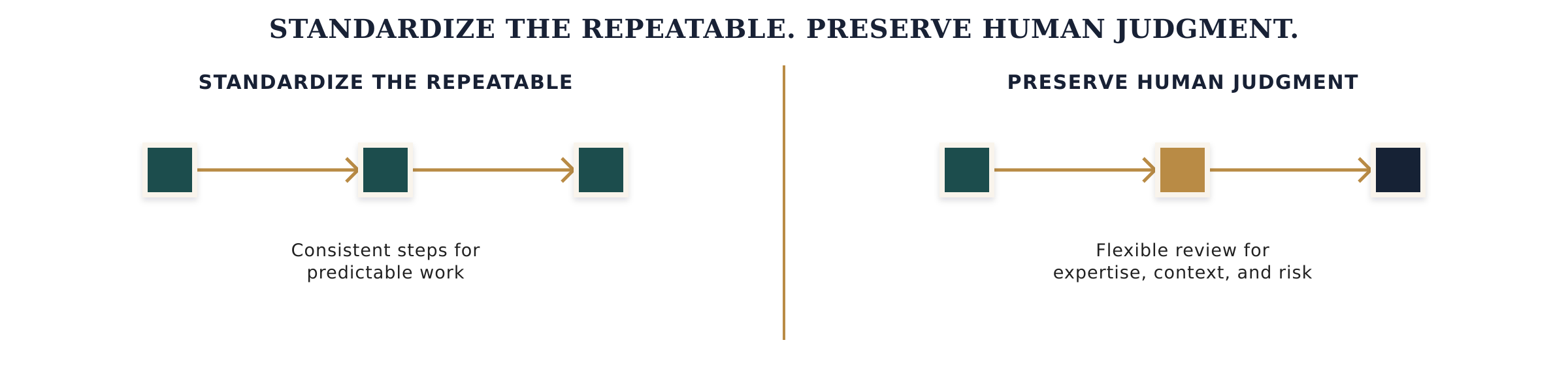
Where AI can create useful leverage
Once the workflow is clear, AI can support work in practical ways.
Summarize
Convert long conversations, meeting notes, research, or account history into a concise view designed for the next decision.
Classify
Identify themes, intent, fit signals, risks, requests, or recurring patterns using categories the business has already defined.
Draft
Prepare a first version of a follow-up, proposal section, sales brief, content asset, internal update, or client communication using governed context and a clear purpose.
Route
Direct work to the appropriate person, process, or system based on visible conditions, with a defined path for uncertainty.
Retrieve
Bring the right policy, proof point, account context, documentation, or operating knowledge into the moment it is needed.
Monitor
Surface missing information, overdue actions, unusual patterns, process drift, or exceptions that deserve human attention.
The value does not come from using AI in more places.
It comes from using it at the point where a clear workflow can convert speed into a better outcome.
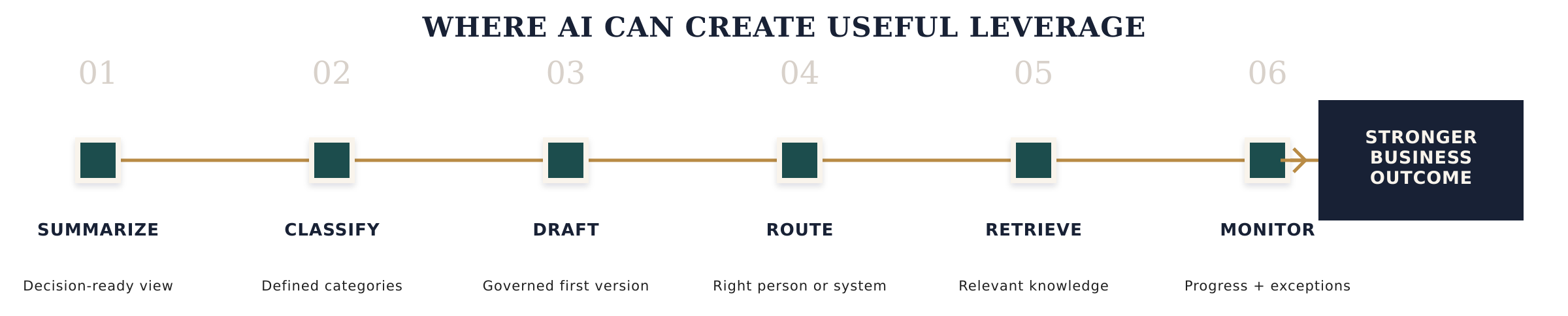
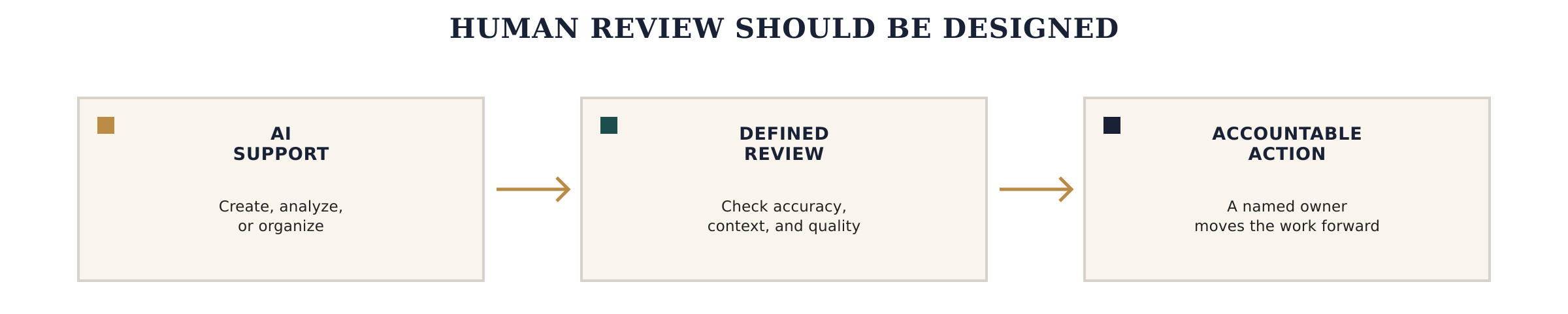
Human review should be designed, not added at the end
“A human will check it” is not a complete control system.
Who will check it?
What are they checking for?
What context will they receive?
What authority do they have?
What happens when the output is wrong?
Will the correction improve the workflow, or will the reviewer quietly fix the problem every time?
Human review is most useful when it protects a defined risk or decision.
It may be required because the communication is externally visible, the judgment affects a relationship, the output involves sensitive information, the cost of error is high, or the situation falls outside the standard path.
Design the checkpoint around the risk.
Do not use a vague promise of oversight to compensate for unclear architecture.
The workflow should determine the tool stack
The business may already own AI capabilities inside its CRM, productivity platform, documentation system, project management software, or other core tools.
It may need a connected automation platform. It may need a specialized product. It may only need a disciplined human process supported by a well-designed prompt and a controlled source set.
The answer depends on the workflow.
Beginning with the process prevents the business from purchasing capability it cannot operationalize, creating unnecessary integrations, or fragmenting work across another set of disconnected platforms.
The best tool is not the one with the longest feature list.
It is the one that can perform its role inside the architecture the business is prepared to own.

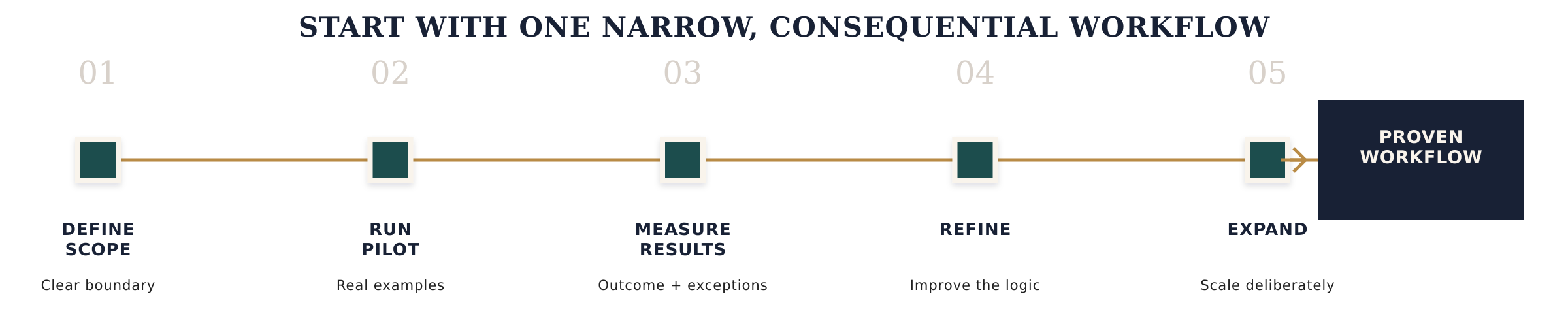
Start with one narrow, consequential workflow
An organization-wide AI transformation is difficult to understand and harder to govern.
A narrow workflow creates a better learning environment.
Choose a process that:
Happens often enough to observe
Has a clear business purpose
Contains repeatable work
Uses information the business can access and govern
Has a visible owner
Includes a manageable decision or review point
Produces an outcome that can be evaluated
Map the current state. Remove unnecessary steps. Define the seven operating conditions. Decide where AI adds leverage. Test with real examples. Measure both the intended result and the exceptions.
Then document what the business learned before expanding.
The goal is not a flashy demonstration.
It is a workflow the team can understand, use, improve, and trust.
AI governance begins with operational ownership
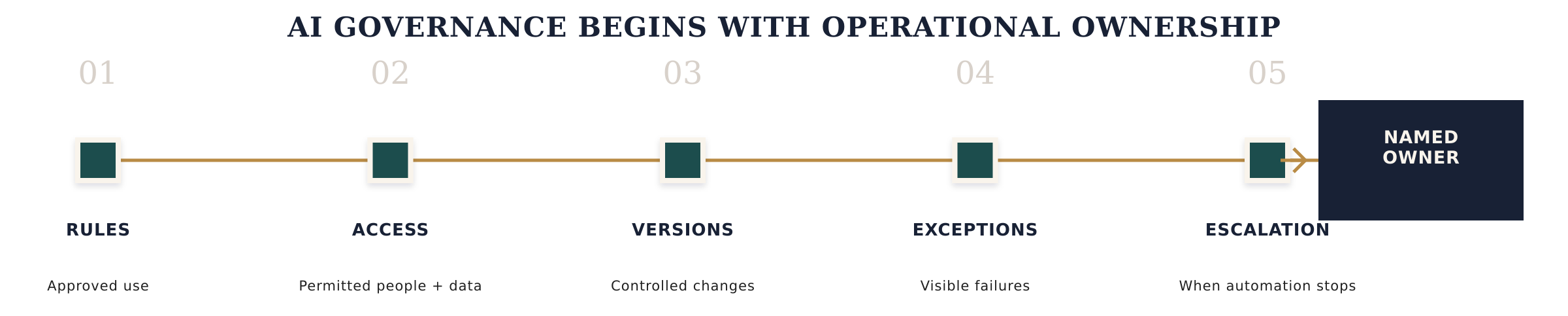
Policies matter.
So do access controls, data protection, vendor review, approved tools, documentation, and appropriate oversight.
But governance also lives inside daily execution.
Who can change the instructions?
Which information can the workflow use?
How are versions managed?
Who reviews failures?
When should the automation stop?
How does the team report an issue?
What requires escalation?
Governance is not a document that sits beside the workflow.
It is the set of ownership and decision rules that keeps the workflow useful as the business changes.
The real opportunity is not more automation
AI creates pressure to move quickly.
The technology is improving. Competitors are experimenting. Teams want relief from repetitive work. Leadership does not want the business to fall behind.
Moving quickly can be responsible.
Moving without understanding the work is not.
The businesses that create lasting leverage will not be the ones that automate the most tasks first.
They will be the ones that understand how information, decisions, people, and systems need to work together, then place AI where it strengthens that architecture.
The question is not simply, “Can AI do this?”
The better questions are:
What is this workflow supposed to accomplish?
What does the system need to know?
Where does judgment belong?
Who owns the result?
And will making this faster actually make the business better?
Build the workflow before you automate it.
The Growth Architecture Audit identifies where information, ownership, handoffs, decisions, CRM, AI, and human judgment are disconnected. It then identifies which workflow the business should clarify and improve first.

Sarah Fuller
Growth Architect
I help founder-led B2B companies connect brand, website, CRM, AI workflows, and revenue operations into a growth system the business can actually use. I diagnose the architecture, rebuild the disconnected parts, test how they work together, document the system, and establish clear ownership for what comes next.